SEGA Genesis: Galaxian Port
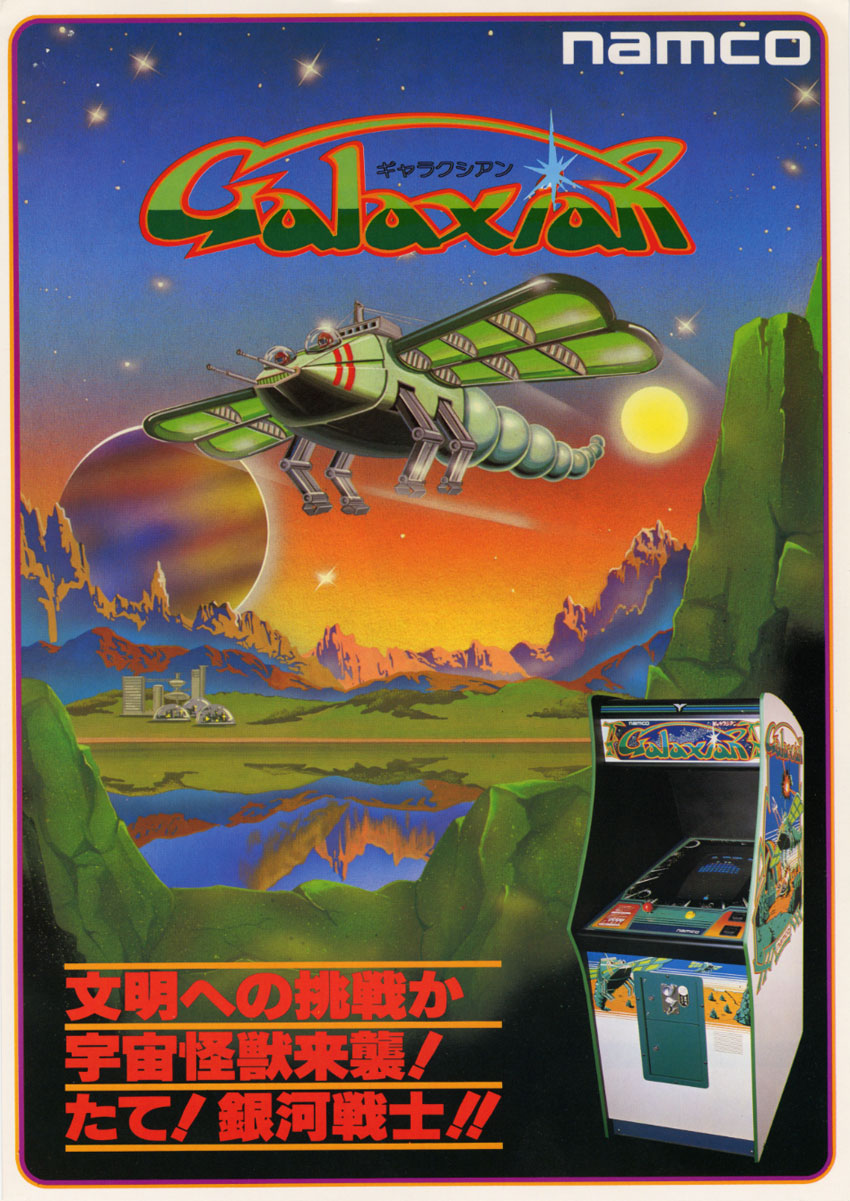
I recently gained access to the new Claude Fable 5 which has been doing an impressive job writing assembly code and reverse engineering arcade games. I decided to give it a challenge that seems like it should be possible: porting one of my old favorites, the 1979 arcade game Galaxian, to the Sega Genesis.
The ROM is available on itch.io.
Genesis Z80?
All of Galaxian runs on a Zilog Z80 clocked at 3.072 MHz. All video and sound is memory-mapped, so the Z80 code is 'clean'.
Now, as you probably know, the Sega Genesis has a Z80 coprocessor running at 3.58 Mhz, most often used for audio. My initial idea was to run the actual Galaxian binary on the Genesis Z80 with a few patches for rendering and audio etc. It's faster than the Galaxian Z80, and then the MC68000 could handle rendering.
However, it turned out be a bad idea, which is clear when you look at the address spaces of the two boards:
 ------------------------------------------------------
  Address       Galaxian board        Genesis Z80 bus
  ------------------------------------------------------
  0000-27FF     10 KB program ROM     8 KB RAM (only!)
  4000-47FF     game RAM              YM2612 FM chip ports
  5000-58FF     video + object RAM    (nothing)
  6000-7800     latches, inputs,      bank register area
                watchdog, sound
  ------------------------------------------------------
Since the Galaxian binary is 10 KB and the Genesis Z80 address space is 8 KB, we immediately have a big problem - the binary doesn't even fit in memory. Apart from that, Galaxian access memory spaces used for the audio chip, and non-existant memory space. If we somehow managed to solve fitting 10 KB binary into 8 KB, the whole binary would have to be patched to change all memory addresses.
Static Translation
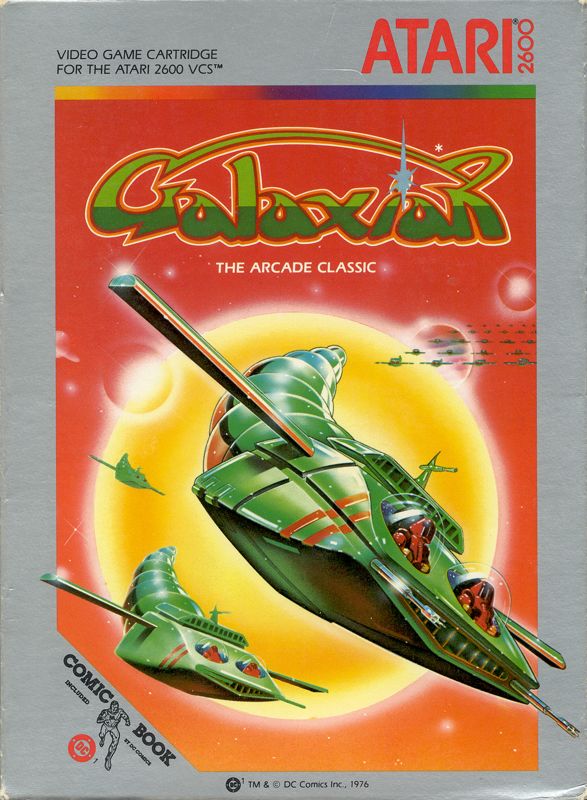
A different approach that ends up being a more faithful implementation of Galaxian is to statically translate the entire Galaxian binary to MC68000 assembly code and run it on the MC68000. It's a faster processor, running at 7.6 MHz, so it should easily be able to run the translated game without slowdown.
This is how it was accomplished:
- The Galaxian ROM was disassembled using z80dasm
- A generated Python script z80to68k.py translated the disassembly, instruction for instruction, to equivalent MC68000 assembly code. The around 6000 Z80 instructions end up as ~19000 lines of MC68000 assembly code.
- The original binary ROM is loaded at $FF0000, so whenever data in the $0000-$27FF address space is accessed by the translated game, it is present in unaltered form.
The z80to68k.py script translate simple instructions one to one:
  ld a,(4002h)   ->   move.b $4002(a6),d0
  inc hl         ->   addq.w #1,d3
  call 18E0h     ->   jsr T_18e0
  jp z,0536h     ->   bne.s skip
                      jmp T_0536
                  skip:
The end result starts like this:
z80_trans.asm

  ; File generated on 2026-07-16 with Claude claude-fable-5
  ; AUTO-GENERATED by scripts/z80to68k.py - DO NOT EDIT.
  ; Translated from disasm/galaxian_z80.dasm.

  T_0000: ; z80:0000  xor a
      moveq #0,d0
  T_0001: ; z80:0001  ld (07001h),a
      move.w sr,d6
      move.b d0,$7001(a6)
      move.w d6,ccr
  T_0004: ; z80:0004  jp l1a55h
      jmp T_1a55
  T_0007: ; z80:0007  rst 38h
      jsr T_0038
  T_0008: ; z80:0008  ld a,(04007h)
      move.b $4007(a6),d0
  T_000b: ; z80:000b  rrca
      ror.b #1,d0
  T_000c: ; z80:000c  ret nc
      bcs.s .skip000c
      rts
The Z80 uses a lot of jumps to addresses computed at runtime, and the jump address for such jumps will always be wrong, since the MC68000 machine code instructions will take up different amounts of space than the Z80 machine code, not to mention that the whole MC68000 machine code program is located at a different base location in memory. The solution is to generate a lookup table for every address that can be jumped to. Whenever a jump to a computed address is performed, the target address will be looked up in this address map.
z80_addrmap.asm:

  ; File generated on 2026-07-16 with Claude claude-fable-5
  ; AUTO-GENERATED Z80 address -> 68k label dispatch map.
  AddrMap:
      dc.l T_0000
      dc.l T_0001
      dc.l TrapBadJump
      dc.l TrapBadJump
      dc.l T_0004
      dc.l TrapBadJump
      dc.l TrapBadJump
      dc.l T_0007
      dc.l T_0008
CPU flags needed special handling, as the Z80 and the MC68000 don't agree on how flags work. The translator didn't just manually set the flags for every instruction, as this would perform very poorly, but analyzed for instructions that would rely on the flags being set in upcoming code and explicitly set the flags in these cases (very clever work by Claude there).
Simulation
When the port is running, the translated game acts exactly like the arcade original (barring any bugs in the translation) - the binary data and (unused) code at $0000, the game state at $4000, graphics memory at $5000, input and sound etc. at $6000 are exactly the same as in the running game. As far as the game logic knows, it's running on the original hardware.
Instead of the hardware video controller present in the arcade hardware, we implemented custom rendering code for the Genesis, emulating the arcade graphics as closely as possible.
The original code updates via a vsync interrupt, which we replicate in the Genesis vertical blank interrupt.
What happens in the interrupt
Genesis wrapper:

    * Read joypad and setup input port bytes in the $6000 input/sound memory area
    * Run translated game update
    * Render sound based on the sound state in the $6000 input/sound memory area
    * Render graphics based on video RAM $5000
Original Galaxian Rendering
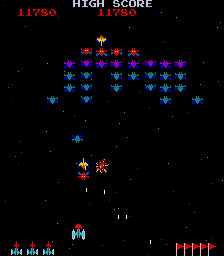
The original Galaxian hardware has a 256x224 pixel 4:3 display, rotated 90 degrees.
Video memory as the CPU sees it:
------------------------------------------------------
Range         Contents
------------------------------------------------------
5000-53FF     1 KB VRAM: 32x32 grid of 8x8 chars
5800-583F     32 pairs: column scroll, column color
5840-585F     8 sprites, 4 bytes each
5860-587F     8 bullets, 4 bytes each
------------------------------------------------------
Both your ship and the alien convoy are rendered using tiles, not sprites. Their position in the tilemap is fixed, and they never move. Position is changed using the column scroll exclusively. Quite clever, only using sprites when absolutely necessary.
When an alien attacks, the tiles are erased and replaced with one of 8 free-moving sprites. Bullets are always rendered using sprites.
The different types of aliens get different color schemes based on the column colors.
After the 90 degree rotation, the setup looks like this:
CONVOY - TILES
convoy line  0-15           \<|>/               |
  color scheme 0                                |
convoy line 16-31     >(")< >(")< >(")<         |- convoy
  color scheme 1                                |  x offset
convoy line 32-47     >(")< >(")< >(")< >(")<   |
  color scheme 2                                |
convoy line 48-63     >(")<       >(")<
  color scheme 2
...

ALIENS / BULLETS - SPRITES
                                                   alien
                                          >(")< <- sprite

                  player -->   |            '   <- bullet
                  bullet                   '       sprites
                  sprite


GALAXIP - TILES
                               A                |- galaxip
                              [ ]               |  x offset
                            ()'|'()             |
Alien sprites are 16x16 with 2 bitplanes, and has x/y-flipping.
Genesis Rendering
The rendering for the Genesis port reads the game state from memory and renders it using tiles and sprites. The rendering works the same as the arcade game, except the display is 4:3 instead of 3:4. A few tiles at the top and bottom were removed for it to fit, but nothing that impacts the gameplay. The 1UP and HIGH SCORE along with CREDITS and the level flags were rendered in a side panel.
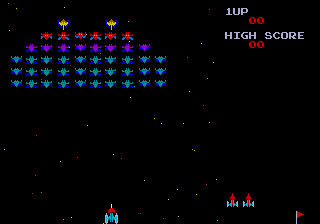
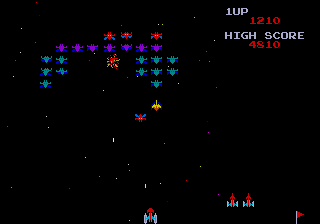
Note that the arcade machine has hardware that is directly controlled by the game ROM, but the Genesis reimplements this hardware in software, but of course using the excellent Genesis VDP graphics chip for tiles and sprites.
Audio
The original sound driver is running as part of the statically translated Z80 code, controlling analog sound hardware on the arcade board. I tried to represent this sound using the Sega Genesis hardware.
  -------------------------------------------------------------
  Channel   Board circuit     Method
  -------------------------------------------------------------
  FM1       pitch voice       algorithm 7 = four independent
                              sine operators in one channel;
                              frequency multipliers 1/2/8 are
                              the three counter taps, a fourth
                              operator at multiplier 6 adds the
                              2x tap's 3rd harmonic (they are
                              squares, not sines); VOL1/VOL2
                              become operator level steps
  FM2-4     chord 555s        one channel per oscillator;
                              partials 1/3/5/7 with rolloff
                              fake the square timbre; FS
                              latches map to key on/off; the
                              LFO is the CPU sweeping F-numbers
                              once per frame from a saw table
  FM5       fire 555          per-frame frequency + level
                              trajectory fit to the measured
                              envelope, plus pseudo-random
                              jitter; a low PSG noise burst
                              stays underneath for roughness
  FM6       explosion         DAC mode: an 8-bit PCM sample
                              fed by a raster interrupt
  -------------------------------------------------------------
This part of the port probably is the least complete. Both the FIRE and EXPLOSION sounds don't sound particularly accurate.
Bonus Features
As a nice bonus feature, I added battery-backed up SRAM for saving the high score.
The ROM header declares the letters "RA" at offset $1B0 and an address range for writing the save. The current save file is 6 bytes - two magic bytes for verifying an actual save, 3 bytes of score in Binary-Coded Decimal (BCD) form. In this interpretation, each hex digit only uses the values 0-9 and represents one decimal digit, which is useful for displaying the numbers for human eyes. Converting binary numbers to decimal is needlessly expensive, but BCD form wastes a bit of memory - the classic space/time tradeoff. Finally, the save contains a checksum - again for validating a correct save.